Game Resources, Tutorials & Assets
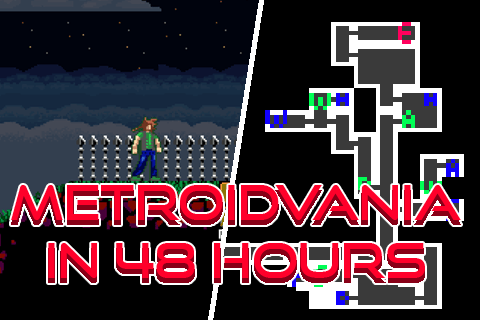
how to make a Metroidvania in 48-hours!
A guide on how I made some competent full feeling Metroidvania's in only 48 hours!

GameMaker Studio 2 Guides
GameMaker Studio 2 is a powerful game development platform that allows game developers to create games of various genres, including 2D, 3D, platformers, and more. With a drag and drop interface, code editor, and asset library, GameMaker Studio 2 makes it easy to create games quickly.
GameMaker Studio 2 Tutorials
Our collection of GameMaker Studio 2 tutorials is designed to help you learn the ins and outs of the platform. Whether you're a beginner or an experienced game developer, our tutorials cover various aspects of game development, including coding techniques, asset creation, and game design.
GameMaker Tutorial
Our Gamemaker tutorials provide step-by-step guides to help you get started with the platform. Our tutorials cover the basics of using Gamemaker Studio 2 to create games, including how to use the drag and drop interface, create objects, and use collision code.
GameMaker Collision Code
Collision code is an essential aspect of game development, and our Gamemaker collision code tutorial provides a comprehensive guide to using collision code in your games. Our tutorial covers various collision codes, including sprite collision, tile collision, and more.
Game Maker Tile Collision
Our Game Maker tile collision tutorial is designed to help you create realistic and engaging environments for your games. Our tutorial covers the basics of using tile collision code in GameMaker Studio 2, including how to create jumping, sliding, and other interactions between objects and tiles.
Shake Screen
Shake screen is an exciting technique that adds an extra layer of excitement to games, and our Shake Screen tutorial provides a step-by-step guide to using this technique in your games. Our tutorial covers how to use shake screen during impactful events in your games, such as explosions, adding a sense of realism to your game world.
Game Jam
Game jams are a great opportunity for game developers to showcase their skills and creativity while working under pressure. Our Game Jam guide provides tips and tricks on how to participate in game jams, including how to create a concept, manage your time, and network with other game developers.
Whether you're looking to improve your game development skills or get started with GameMaker Studio 2, our collection of tutorials, examples, and guides has something for everyone. Browse our page to learn more about how you can use GameMaker Studio 2 to create great games.